Attendance review
Exceptions
Turn attendance differences into a clear review queue instead of asking administrators to inspect every time entry.
Inside the workspace
See Exceptions in use.
Real EasyClock screens with demonstration data. Open a screenshot to see the interface at full size.
 View full size ↗
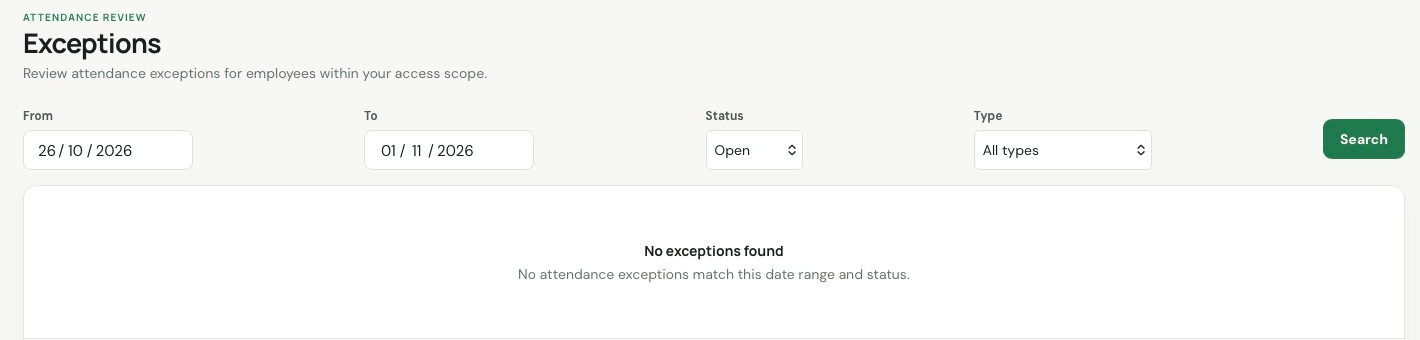
Filter the attendance review queue
Date, status and exception-type filters narrow the review queue. An empty result clearly identifies the selected range and status.
Step by step
Try this workflow.
Set the review window
Choose the dates covering the shift or work session you need to investigate.
Narrow the queue
Filter by status and type, such as absence, unscheduled work, late arrival or worked public holiday.
Open the related context
Review the employee’s shift, punches and calculated session before deciding which correction or permitted action is appropriate.
Check the outcome
Confirm the revised exception state and the affected timesheet after completing the review.
Exception types
- Early Arrival, Late Arrival, Early Departure and Late Departure.
- Absence and Unscheduled Work.
- Worked Public Holiday.
Review workflow
- Filter by date, employee, type and status.
- Open the related timesheet context and act on eligible open items.
- Approval or correction recalculates the affected work session and records the outcome.
Configuration
- Enable exception review in Company settings.
- Choose which exception types are generated and their minute thresholds.
- Actions remain subject to time-review permissions and data scope.