Native iPhone app
Fast employee access, securely stored sessions, local cached data and optional GPS context when company rules require it.
 EasyClock
iPhone app + Android web
Use the native EasyClock app on iPhone, or open the mobile-friendly EasyClock web workspace in an Android browser. Both routes use the same company account, employee permissions and connected time records.
The EasyClock iPhone app
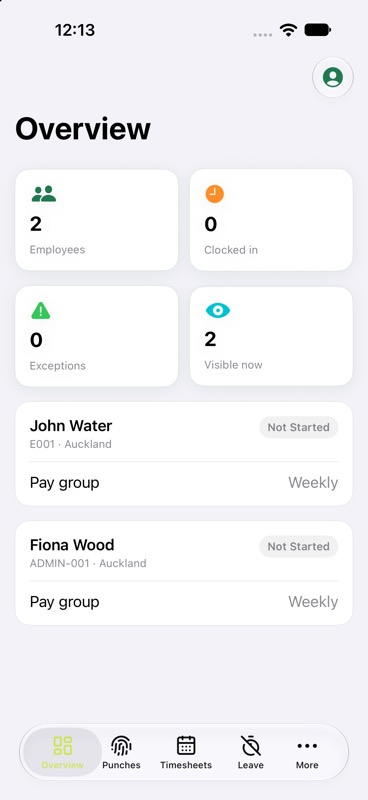
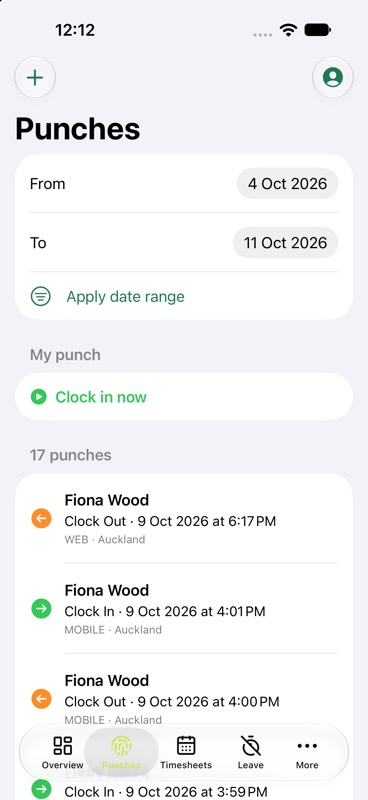
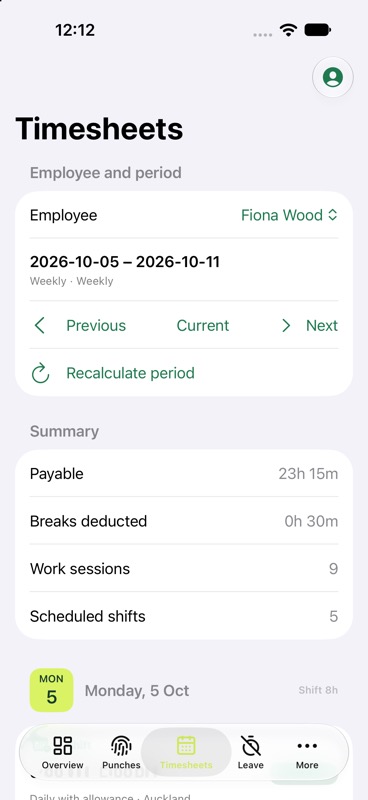
The native iPhone app follows the same green-and-yellow visual language as EasyClock on the web. Employees can move between Overview, Punches, Timesheets and Leave without learning a separate workflow.
Fast employee access, securely stored sessions, local cached data and optional GPS context when company rules require it.
Android users can open EasyClock in Chrome or another modern browser. The responsive layout adapts navigation, forms and timesheets to a mobile screen.
One connected workday
Available functions follow the signed-in user's permissions. Employees can see their overview, punch history, own timesheet and leave features. Managers with broader access can use the workforce modules allowed by their role.
When work allocation is enabled, the iPhone clock-in flow waits for Jobs and Tasks to finish loading before it asks the employee to choose. Recent app data can appear from the local cache while a background update checks for changes.
Native mobile punching belongs to the Pro plan and must be enabled by the company before an eligible employee can sign in to the iPhone app.
Android users can temporarily access EasyClock through the mobile-friendly web interface. Web punching and other available modules still follow the company's plan, feature settings and user permissions.
The iPhone app and responsive web workspace use the same EasyClock account. Profile changes, punches, work sessions and timesheets remain connected instead of creating a separate mobile record.
The iPhone app requests location only when company settings and the punch flow require it. GPS capture does not by itself mean the device must be registered.
Familiar modules
See current employee, punch, shift and exception status within the user's scope.
Clock in or out and review punch history with clear date filters.
See shifts and work sessions grouped together by calendar date and pay period.
Connected to the full system
Mobile punches feed the same employee work sessions and timesheets used on the web. Learn about the complete time and attendance software NZ workflow, read about GPS clock-in, or compare the Pro plan.
EasyClock on mobile