Reusable shift details
Keep a consistent start, finish and timezone. Apply a template to employee days instead of entering the same shift details repeatedly.
 EasyClock
Rostering & scheduling · EasyClock Pro
Plan the team before the workday starts. Build rosters on an employee-by-day board, reuse Shift templates and publish repeating schedules. Then compare the plan with actual attendance in the same EasyClock workspace.
100% Kiwi owned. Built for teams worldwide.
See the team in one place
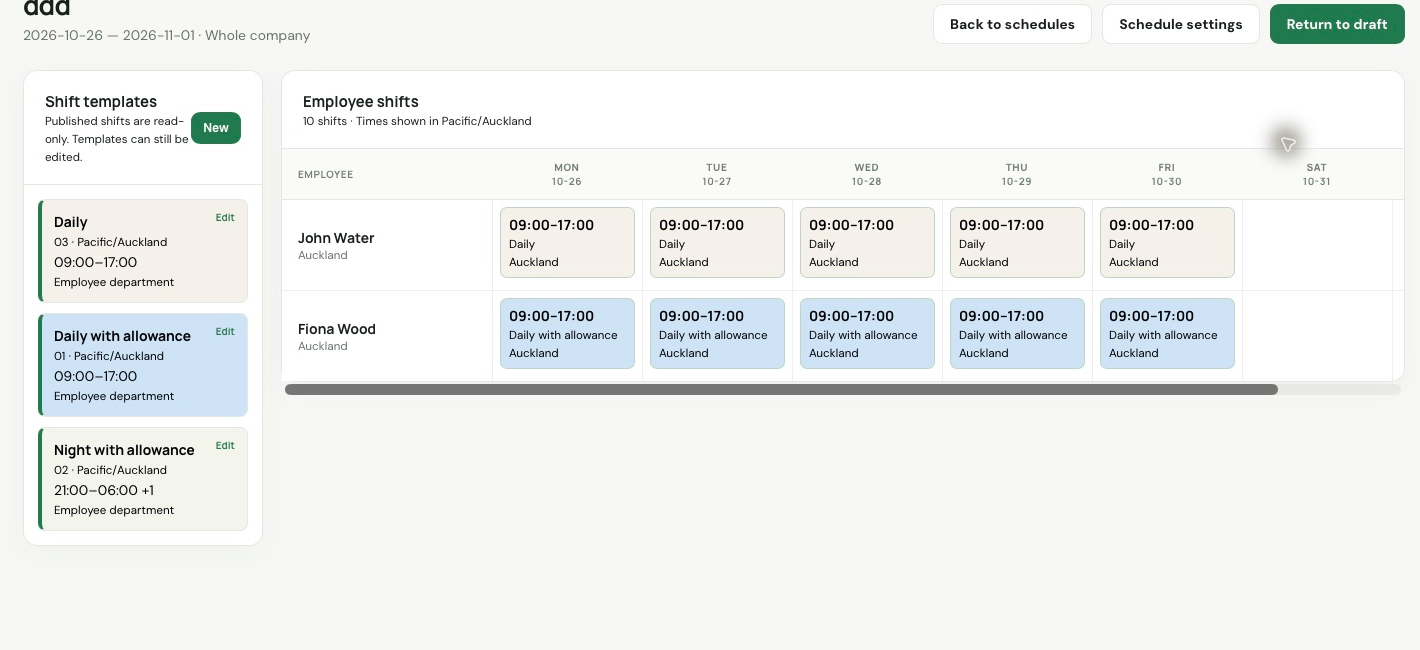
See employees down the side and dates across the top. In a draft schedule, drag a template onto an employee’s day, add a custom shift or move an existing shift. Review the roster before publishing it for attendance.
From an empty period to a published roster
Use the same workflow for a whole company or the organisation unit your account can manage.
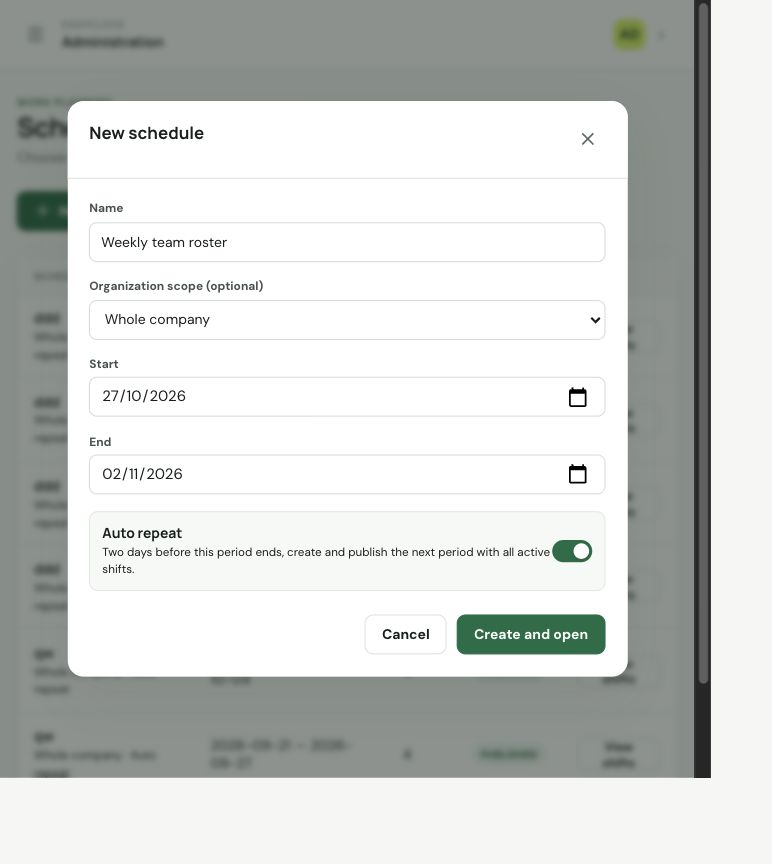
Open Schedule, choose New schedule, give the roster a name and set its dates and organisation scope.
Prepare Shift templates, then drag them onto employee days or use Add shift. Check employee assignments, start and finish times.
Check the draft roster and choose Publish. The published shifts become available to attendance calculations and timesheet review.
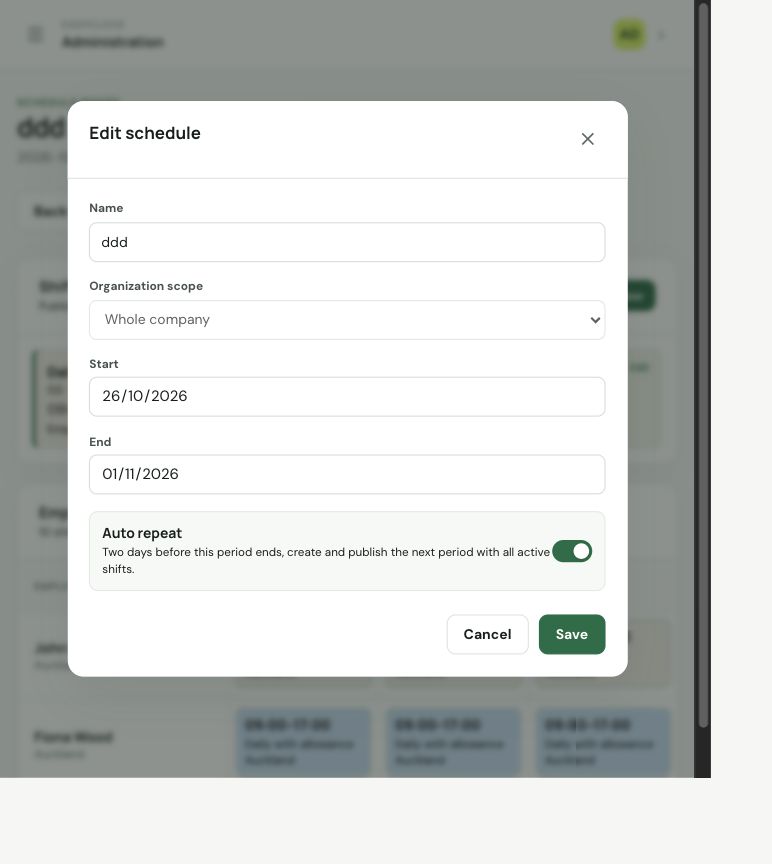
Enable Auto repeat when the work pattern should carry forward. Review the next period and use the authorised draft workflow for changes.
Shift templates
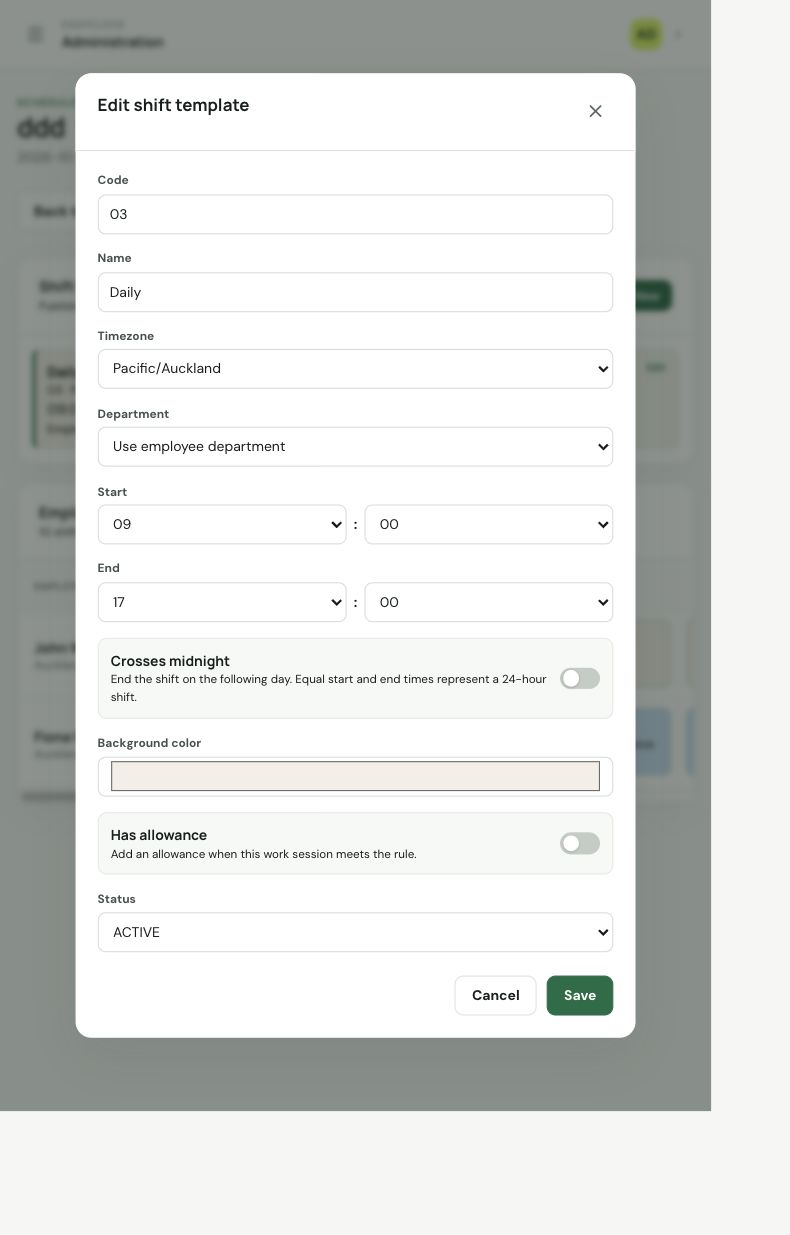
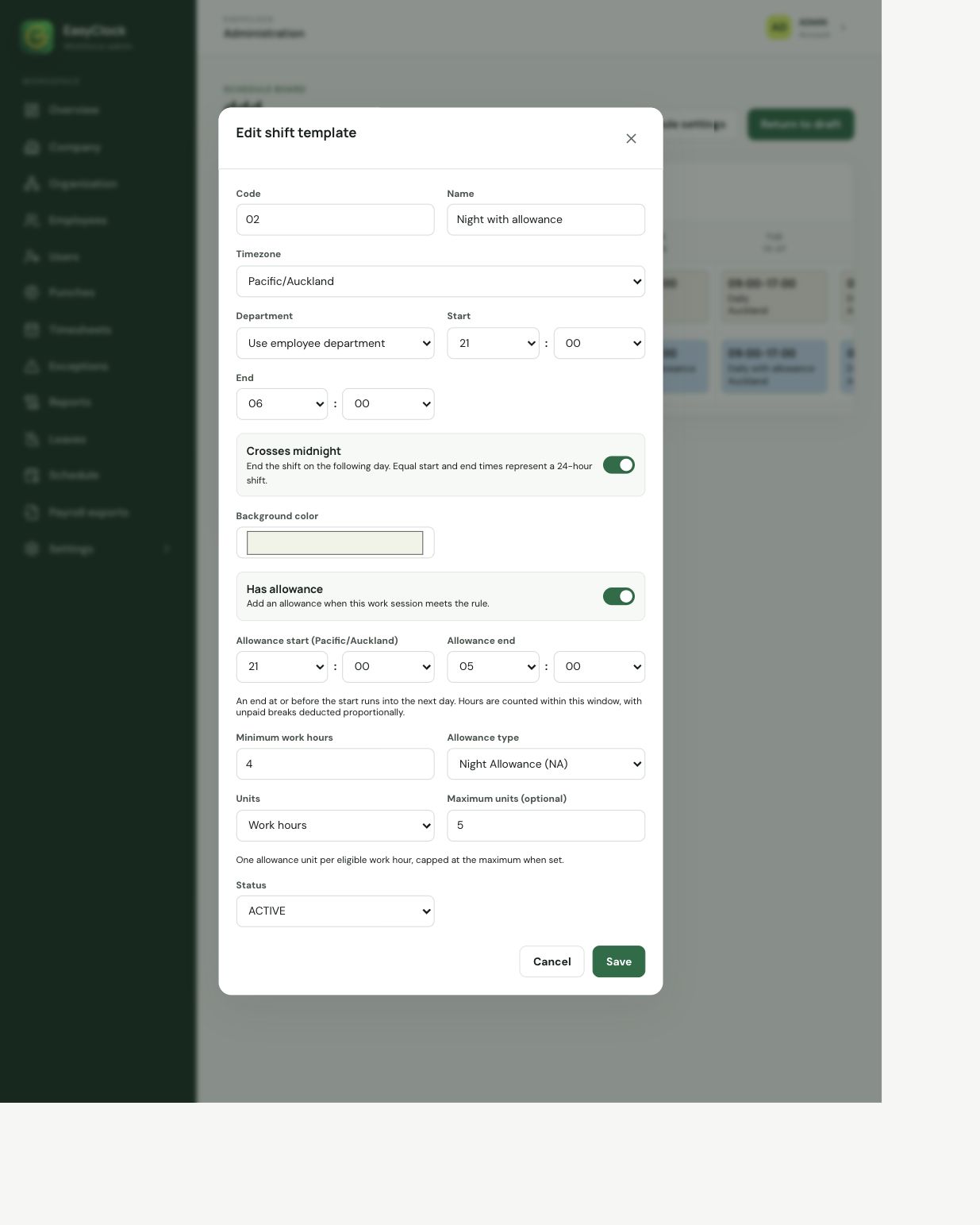
Create templates for the shifts your team works regularly. Set the name, timezone, department, start and finish times, overnight behaviour and colour. Where applicable, add an allowance rule to the template.
Keep a consistent start, finish and timezone. Apply a template to employee days instead of entering the same shift details repeatedly.
Use Crosses midnight when a shift ends the next day. A 21:00–06:00 night shift stays a clear, named pattern on the board.
Configure an eligible time window, minimum work hours, allowance type and units. Use fixed units or eligible work hours, with an optional cap.
Timezones & daylight saving
Choose a named timezone for each Shift template. EasyClock uses the timezone rules for the actual shift date, including daylight saving changes, rather than treating every date as a fixed UTC offset.
For repeating shifts built from templates, a 09:00–17:00 pattern keeps its local start and finish times across daylight saving changes. The corresponding UTC times adjust for the new date.
Start and finish times each use the offset in effect at that moment. An overnight shift crossing a clock change can have a different elapsed duration from an ordinary night.
Use the relevant timezone, such as Pacific/Auckland, Europe/London or America/New_York. Template-based schedules follow the daylight saving rules for the selected zone.
EasyClock compares the actual elapsed time with the local clock duration and uses the greater duration as the work-hour calculation basis. When clocks move forward, the local clock hours are preserved. When clocks move back, the repeated hour worked is included.
| Clock change | Actual elapsed time | Work-hour basis |
|---|---|---|
| No change | 8 hours | 8 hours |
| Forward 1 hour | 7 hours | 8 hours |
| Back 1 hour | 9 hours | 9 hours |
These examples show the calculation before configured rounding, break deductions, overtime and allowances. With one 30-minute unpaid break and no other adjustments, the work hours after the break are 7.5, 7.5 and 8.5 respectively.
From the plan to the workday
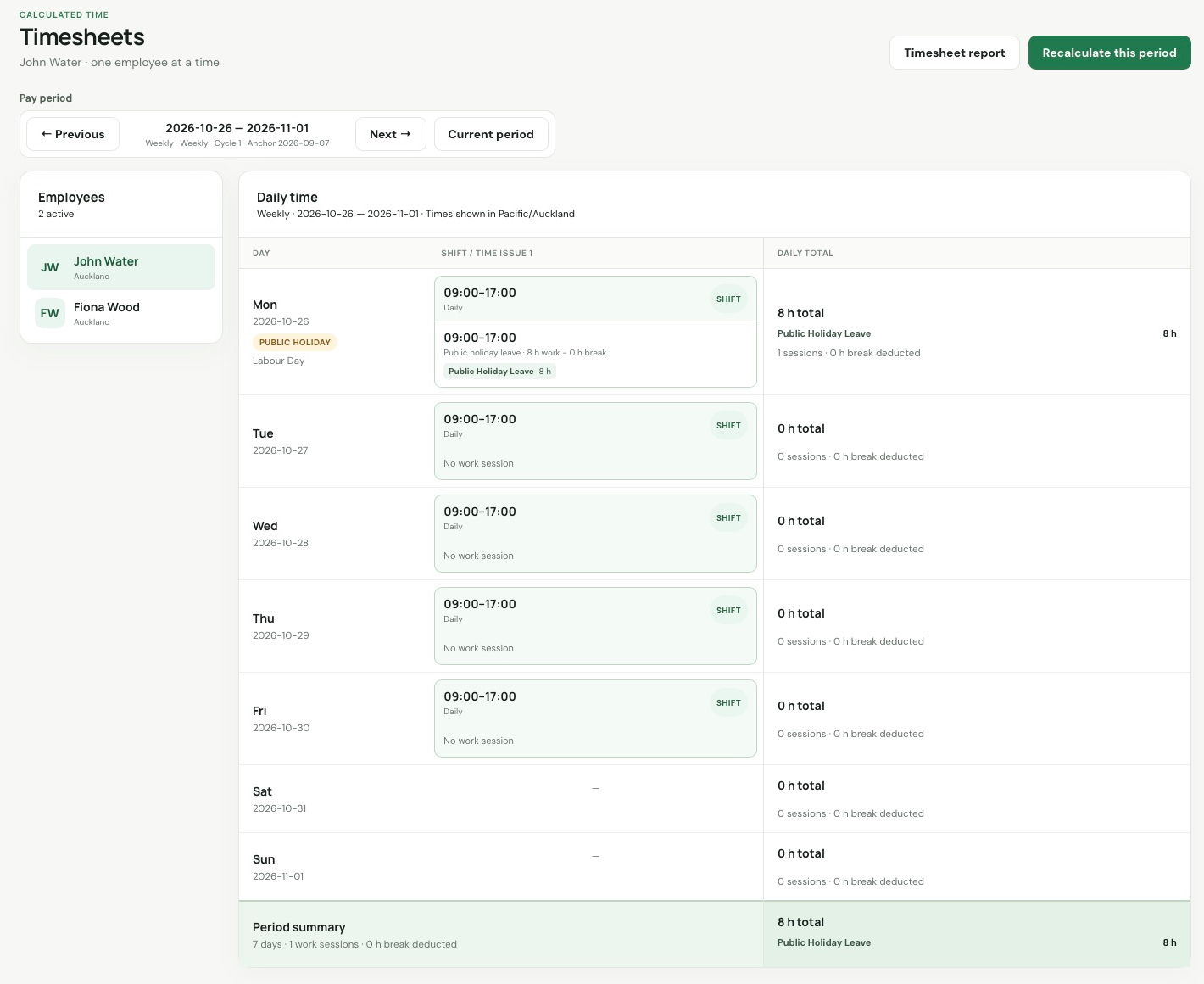
Published shifts appear beside employee work sessions in timesheets. See the planned start and finish, recorded hours, leave and attendance exceptions together before preparing payroll-ready time data.
Rostering questions
Yes. Prepare reusable shift templates, apply them to employee days and enable Auto repeat for a published schedule. EasyClock creates the next period from active shifts when it becomes due.
Yes. Shift templates use a named timezone and date-specific offsets. Repeating shifts built from templates retain their local start and finish times, while overnight shifts use the offset at each boundary. Elapsed hours can change when clocks move forward or back.
EasyClock uses the greater of elapsed time and local clock duration as the work-hour basis. For a 21:00–05:00 shift crossing a one-hour clock change, the basis is eight hours when clocks move forward and nine hours when they move back, before configured rounding, breaks, overtime and allowances.
Yes. Set the template’s local start and finish times and enable Crosses midnight when the shift finishes on the following day. The employee board and timesheets keep the shift connected to its business date.
Yes. Where applicable, enable Has allowance and configure the eligible time window, minimum work hours, allowance Pay Type and unit basis. Work-hour allowances can also have a maximum unit cap.
Schedule management is included in EasyClock Pro. The company must enable the relevant features, and the user needs the appropriate scheduling permissions and organisation scope.
Yes. EasyClock is 100% Kiwi owned and built for teams worldwide. Configure the relevant company, employee and shift timezones, pay cycles and work rules for your team.
Explore the connected tools
100% Kiwi owned. Built for teams worldwide.
Plan shifts, reuse templates and keep the schedule connected to actual attendance.