
OR
Business structure
Organization
Represent departments, branches, teams or cost centres in an unlimited hierarchy.
Inside the workspace
See Organization in use.
Real EasyClock screens with demonstration data. Open a screenshot to see the interface at full size.
 View full size ↗
Structure teams and inherited policies
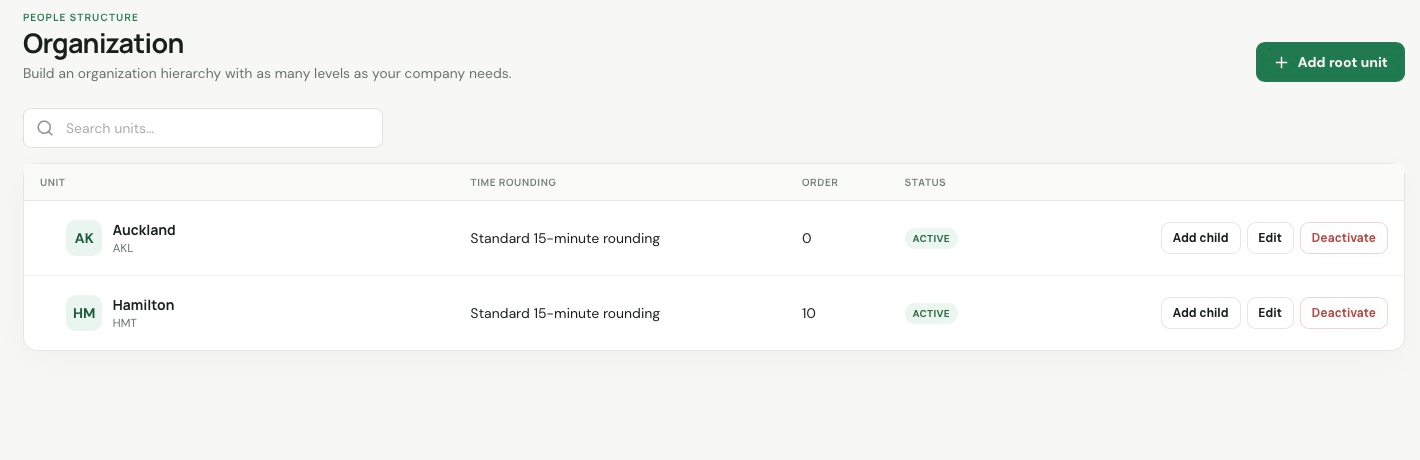
Organisation units display their hierarchy, time-rounding policy, order and active status, with Add child and Edit actions alongside each unit.
Step by step
Try this workflow.
Create the top-level unit
Use Add root unit for a branch, department or other top-level part of the business.
Add the hierarchy
Use Add child to represent teams or cost centres beneath the appropriate parent.
Review time rounding
Assign a rounding rule, inherit the parent policy or explicitly choose no rounding where appropriate.
Connect people and access
Assign employees to the unit and use the same structure when defining manager data scope or schedule scope.
Structure
- Create root and child units with code, name, parent, sort order and status.
- Move operational access with the organisation instead of maintaining individual employee lists.
- Deactivate units that are no longer used while retaining history.
Policy inheritance
- Assign a Time Rounding rule directly to a unit.
- Allow children to inherit the parent rule or explicitly use no rounding.
- Use organisation units as employee assignments, schedule scope and user data scope.