Calendars
Public holidays
Combine New Zealand national and regional calendars with company-specific working-day differences.
Inside the workspace
See Public holidays in use.
Real EasyClock screens with demonstration data. Open a screenshot to see the interface at full size.
 View full size ↗
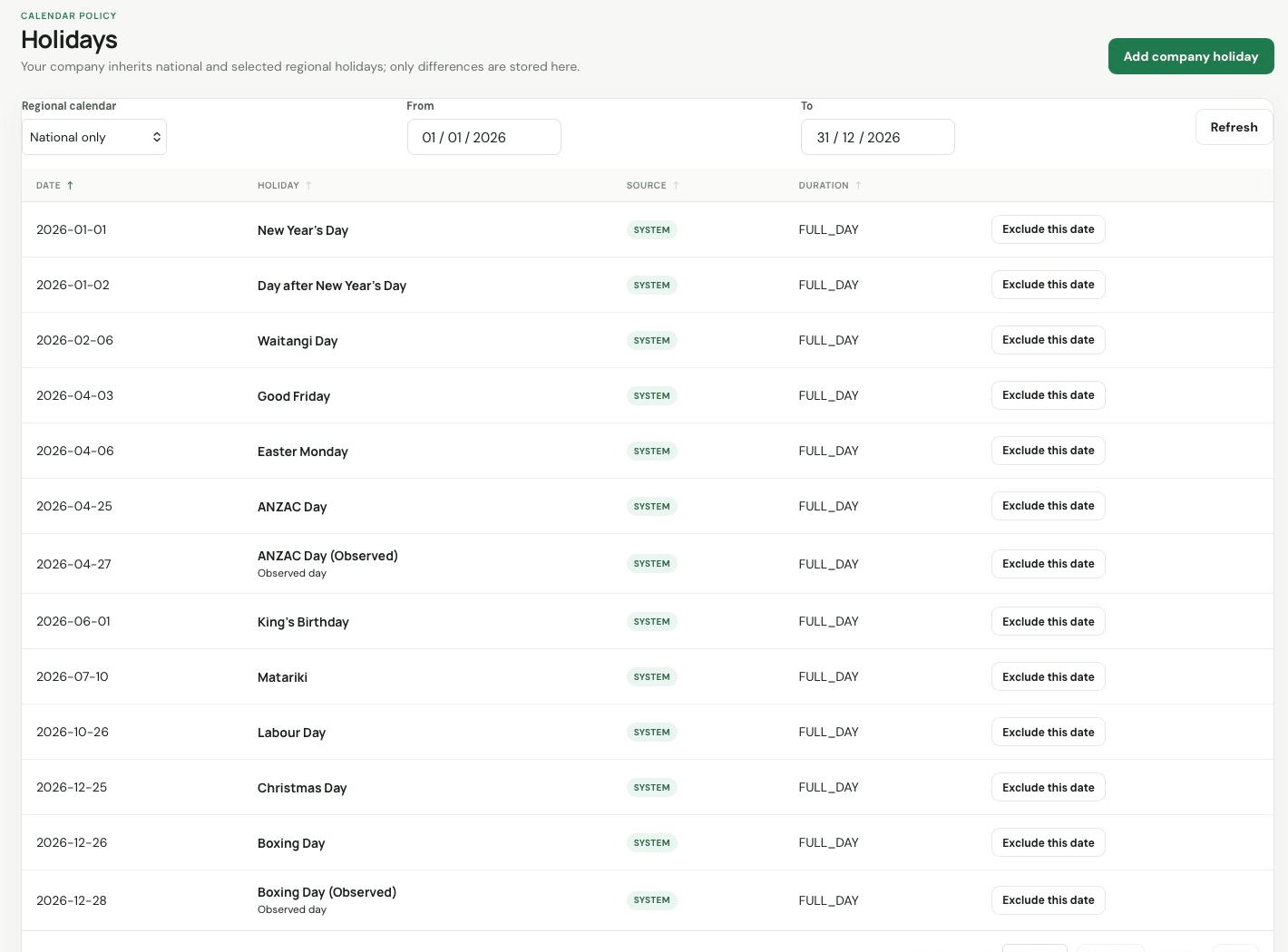
Review the effective holiday calendar
The calendar combines national and regional dates with company additions or exclusions and shows the source and duration.
 View full size ↗
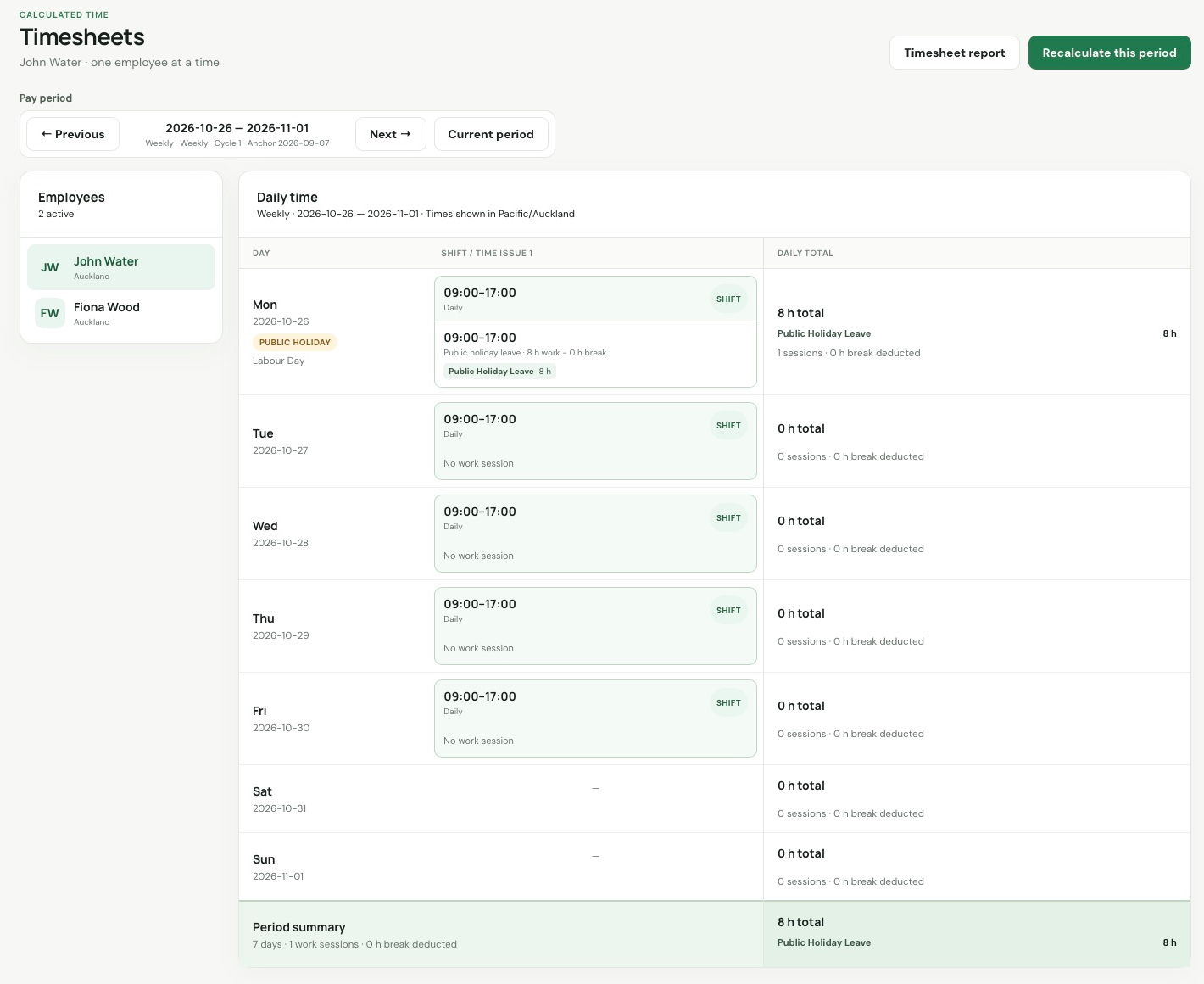
See the holiday in the daily timesheet
Labour Day is marked on the date. This unworked scheduled shift creates an eight-hour Public Holiday Leave record under the enabled holiday policy.
Step by step
Try this workflow.
Choose the calendar and dates
Select the applicable regional calendar and the range you need to review.
Maintain company differences
Add a company holiday or the required exclusion when the organisation’s calendar differs from the inherited dates.
Review the Pay Group policy
Confirm the public-holiday calculation settings before relying on holiday-related Pay Types.
Check the daily result
The date remains marked as a public holiday. An unworked scheduled shift can produce Public Holiday Leave; actual work uses Public Holiday Worked, including work without a shift.
Calendar
- Select the applicable region and date range.
- Inherit national and selected regional holidays.
- Add exclusions or company differences where operations do not follow the default calendar.
Company holidays
- Create one-off, fixed-date or nth-weekday holidays.
- Select observation rules such as Mondayisation, nearest weekday, nearest Monday or custom.
- Choose full or partial day and set effective dates.
Attendance impact
- Pay Group policy controls public-holiday calculation.
- Worked Public Holiday can create an exception for review.
- Holiday dates can be skipped when calculating a leave request.